 |
|||||||||||||
|












|
|
|
|
Remote Show Control with a Laptop |
||
|
|
||
|
|
 |
|
|
 |
|
|
|
Setting up the laptop |
|
|
||||||||||||||||||||||||||||||||||||||||||||||
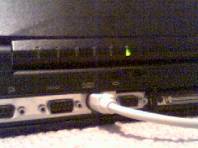
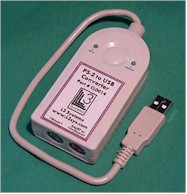
|
|
|
Reprogramming the remote |
|
|
|
Once you have the remote, it doesn’t take long to customize. As it comes out of the box, if you press a button on it, it sends PAGE DOWN or PAGE UP to the computer. This is for running Microsoft Powerpoint; Page Up and Page Down flip through Powerpoint slides. For my purposes, I wanted the remote to have three functions: - Play next track - Go back one track. - Fade out current track and stop playing. Originally, I thought I would need to stop a track during the show, and then go back a track, so I could re-start it. After using this system in many shows, it turns out not to be necessary. Here’s how I now have the buttons set up: Right Button: Play next track Left Button: Fade out current track and stop playing. Both buttons: Go back one track. It’s harder to press both buttons at the same time, so I’ve put the least-used command there. My main use of the fadeout and stop command is for tracks that are played when people come up on stage from the audience. These tracks cover the time as someone is walking up, and you never know exactly how long they’ll take, so you just fade out the track when they’re up on stage. |
|
|
 |
|
|
|
Here’s some info to help you with what’s on pages 3 - 5 of the Key RF manual. First, plug the receiver into a computer (using the USB dongle if you have USB ports), plug a keyboard into the receiver, then turn the computer on. Windows XP users: Go to the Start menu, select Programs, then select MS-DOS prompt. Windows 7 users: Go to the Start menu, select Programs, Accessories, then select MS-DOS prompt. |
|
|
|
Once you have the MS-DOS window open, press Left Shift and then Right Shift alternately (on the external keyboard plugged into the remote!) until the prompt shown on the bottom of page 3 of the manual is displayed. |
|
|
|
Then press B to change the button settings, R to change the Right button on the transmitter (if you bought the two-button transmitter.) Press S for a single sequence for the key (ignore the Alternating setting, I think it’s too complicated for use during a show.) Now you’re finally ready to tell the receiver what keys you want instead of Page Down: Right Button: Press the down arrow, then press the Enter key, then press CTRL - V. End this sequence by pressing the right Shift key, as the screen prompts you to. (In Winamp, this sequence moves the highlight down to the next track in the playlist, plays it, and tells Winamp to stop after this track plays.) Left Button: (Press B to change the button settings again, L to change the Left button, and S for a single sequence.) Press Shift - V, then press the right Shift key to end. (In Winamp, Shift - V fades out the current track and stops the music.) Both buttons: (Press B to change the button settings again, B to change both buttons, and S for a single sequence.) Press the Up Arrow, the press the right Shift key to end. (In Winamp, this will move the highlight up one song in the playlist.) Finally, press Q to quit. The remote is now reprogrammed. You can close the MS-DOS or SimpleText window.
|